How to Start Using AI: A Practical Guide for Beginners
 Mar, 10 2026
AI Prompt Builder
Build better AI prompts using the four-part framework from the article. Good prompts have four parts: Role, Task, Context, Format. This tool helps you structure your requests to get the best results from AI tools like ChatGPT, Gemini, or Claude.
Build Your Prompt
Prompt Example
Role You're a marketing manager
Task Write a social media post
Context Our new sustainable water bottle line launches next week
Format Under 100 words, include emoji, hashtags
This prompt structure helps AI understand exactly what you need and produces better results.
Your Generated Prompt
Your prompt will appear here after building
Most people think AI is something only tech companies or scientists use. That’s not true anymore. You don’t need a PhD or a billion-dollar budget to start using AI. Right now, in 2026, AI tools are as common as smartphones. They help teachers grade papers, small businesses write emails, farmers monitor crops, and even parents plan meals. If you’re wondering how to start using AI, the answer is simpler than you think: you already have everything you need.
Start with what you already do
Don’t try to build a robot or train a neural network. That’s not where you begin. Instead, look at your daily tasks. What do you do over and over? Writing emails? Organizing files? Searching for info online? Editing photos? AI can handle those things - and it’s already built into the tools you use.
For example, if you use Gmail, you’re already using AI. It suggests replies, filters spam, and even translates messages in real time. If you use Microsoft Word, it checks grammar and rewrites sentences. If you take photos on your phone, AI enhances lighting and removes blur. These aren’t fancy features - they’re just part of the software now.
Try this: Next time you’re writing an email, let the AI suggest a reply. Don’t just accept it - tweak it. Make it sound like you. That’s how you start learning. You’re not replacing yourself. You’re giving yourself a helper.
Try one free AI tool this week
Here’s the easiest way to get your hands dirty: pick one tool and use it for a real task. Not just to play around. Do something useful.
- ChatGPT or Claude: Ask it to summarize a long article you’re reading. Or rewrite a draft of your resume. Then compare the result to your original. What changed? Why?
- Canva Magic Design: Upload a photo and ask it to turn it into a poster. Try making a flyer for your local community event. No design skills needed.
- Notion AI: Type a messy list of ideas. Ask it to organize them into a project plan. See how it groups things you didn’t even notice were connected.
- Google Gemini: Ask it to explain a news story in simple terms. Or help you write a birthday message to your aunt.
These tools are free. No credit card. No signup. Just open them and ask. The goal isn’t to get perfect answers. It’s to see how AI thinks - and how you can guide it.
Learn to ask better questions
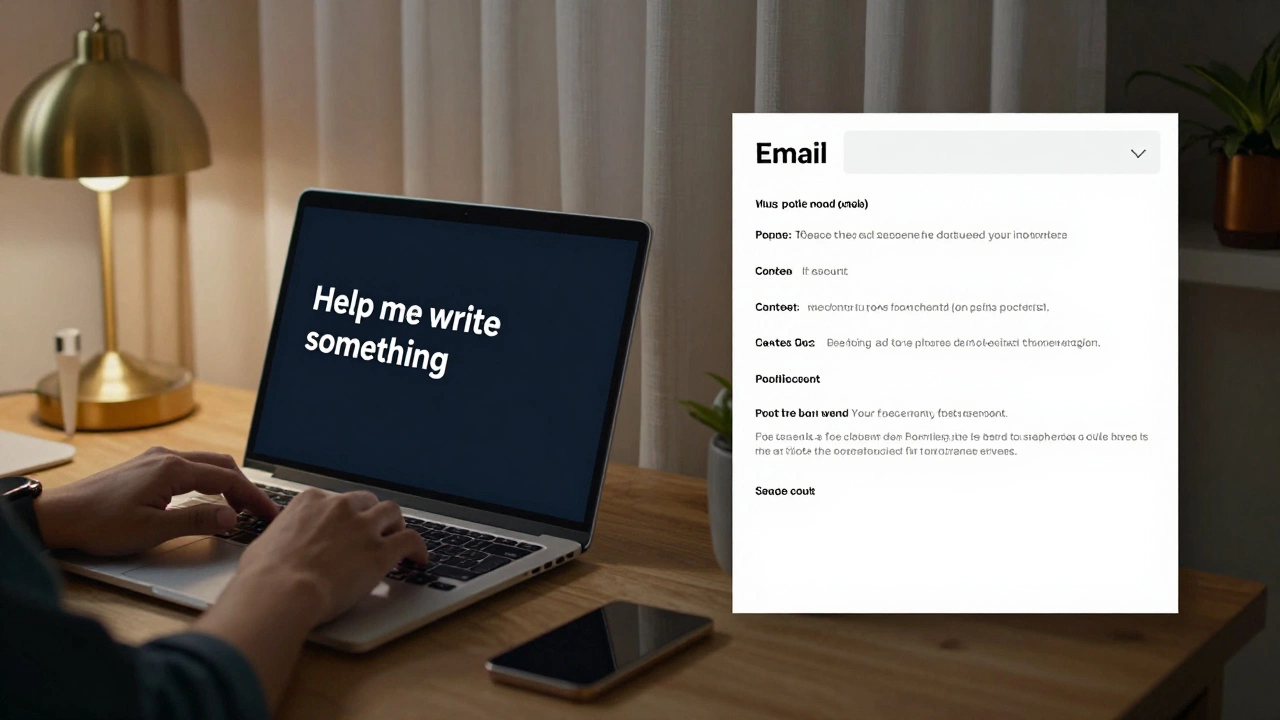
AI doesn’t read your mind. If you say, “Help me write something,” it gives you generic stuff. But if you say, “I need a short email to my boss explaining why I’m late on the report, in a polite but firm tone, and mention I’ve already fixed the error,” - now you’re talking.
Good prompts have four parts:
- Role: “You’re a project manager helping a team member.”
- Task: “Write a follow-up email.”
- Context: “The deadline was moved up, but the client is happy with the progress.”
- Format: “Keep it under 100 words. Use bullet points.”
Try it. The next time you ask AI for help, write your prompt like this. You’ll get results that actually work.
Use AI to save time, not to replace thinking
Some people think AI will make them lazy. It doesn’t - if you use it right. Think of it like a calculator. You don’t stop learning math because you use one. You just stop doing long division by hand.
Here’s how to avoid falling into the trap:
- Don’t let AI write your entire report. Use it to draft the first version, then rewrite it yourself.
- Don’t accept AI’s answer without checking. It makes mistakes - often silly ones. Always verify facts.
- Use AI to handle the boring stuff: formatting, spell-checking, summarizing, organizing. Save your brainpower for the creative parts.
One teacher in Liverpool told me she uses AI to grade multiple-choice quizzes. That saves her 3 hours a week. She uses that time to talk to students one-on-one. That’s how AI should work: not to replace humans, but to give them more time to be human.
Watch out for the traps
AI isn’t magic. It’s a tool with blind spots.
- Bias: AI learns from data made by people. That means it can repeat old mistakes. If you ask it to suggest names for a job applicant, and it always picks male names - that’s a red flag.
- Confidence without truth: AI will sound sure even when it’s wrong. It might say “The capital of Brazil is São Paulo” - and mean it. Always double-check.
- Privacy: Don’t paste your personal emails, medical records, or financial details into public AI tools. If you’re unsure, use tools that let you work offline or in private mode.
There’s a simple rule: If it feels too good to be true, it probably is. AI doesn’t know your life. It guesses based on patterns. Your judgment still matters most.

Build your own AI habit
You don’t need to become an expert. Just make AI part of your routine.
Here’s a 5-minute daily habit:
- Every morning, ask AI to summarize the top 3 news stories you care about.
- At lunch, use it to rephrase a confusing email you received.
- In the afternoon, ask it to suggest 3 ways to improve your to-do list.
- Before bed, have it explain one thing you learned that day - in simple terms.
That’s it. Five minutes a day. In two weeks, you’ll notice you’re thinking differently. You’ll start asking, “What would AI do here?” - and then decide whether to follow it or not.
What comes next?
You don’t need to learn Python. You don’t need to buy a GPU. You don’t need to understand transformers or LLMs. Those are for engineers. You’re not here to build AI. You’re here to use it.
Start small. Use what’s already there. Ask better questions. Protect your judgment. Save time on the boring stuff. That’s the whole roadmap.
The people who succeed with AI aren’t the smartest. They’re the ones who just tried it - and kept trying.
Do I need to know how to code to use AI?
No. Most AI tools you’ll use every day - like ChatGPT, Canva, or Google’s AI features - don’t require any coding. You type in plain English, and it responds. You’re not building software. You’re using it. Code is for developers who want to create new AI tools. You just want to use them.
Is AI safe to use for personal tasks?
It depends on what you’re sharing. Avoid putting in sensitive data like passwords, medical records, or financial details into public AI websites. Stick to general questions - like rewriting an email or planning a trip. Many tools now offer private or encrypted modes. If you’re unsure, use tools from trusted companies like Google, Microsoft, or Apple - they have stricter privacy rules.
Can AI replace my job?
AI won’t replace your job - but someone using AI might. The goal isn’t to compete with AI. It’s to work with it. If you use AI to handle repetitive tasks, you free up time to do things AI can’t - like building relationships, solving complex problems, or making creative decisions. Jobs that survive are the ones that combine human judgment with AI efficiency.
What’s the best free AI tool for beginners?
For most people, it’s Google Gemini or ChatGPT (free version). Both work in your browser. You can ask them to summarize articles, explain ideas, write emails, or even help you plan a weekend. Try both. See which one feels more natural to you. There’s no single “best” - it’s about what works for your style.
How do I know if AI gave me a wrong answer?
AI often sounds confident even when it’s wrong. Always check facts with a second source. If it gives you a date, a name, or a statistic - look it up. Use Google, Wikipedia, or official websites. Also, watch for vague answers like “many people believe…” or “it’s commonly thought.” Those are signs the AI is guessing. Real answers have sources, numbers, or specific examples.